PANORAMAStereo imager for techno producers
See your stereo width against real techno targets, then pull it into place.
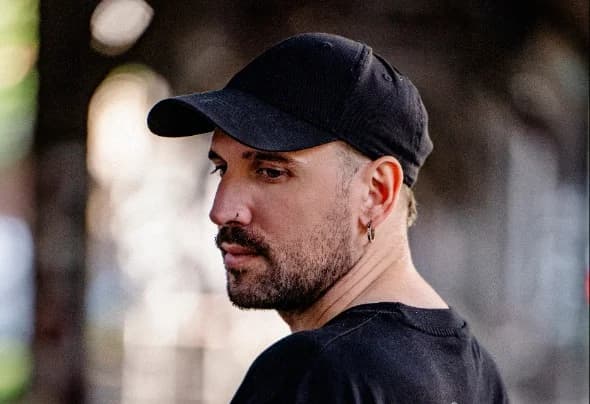
Built by Mattia Saviolo
Total price. No VAT charged.
What’s inside.
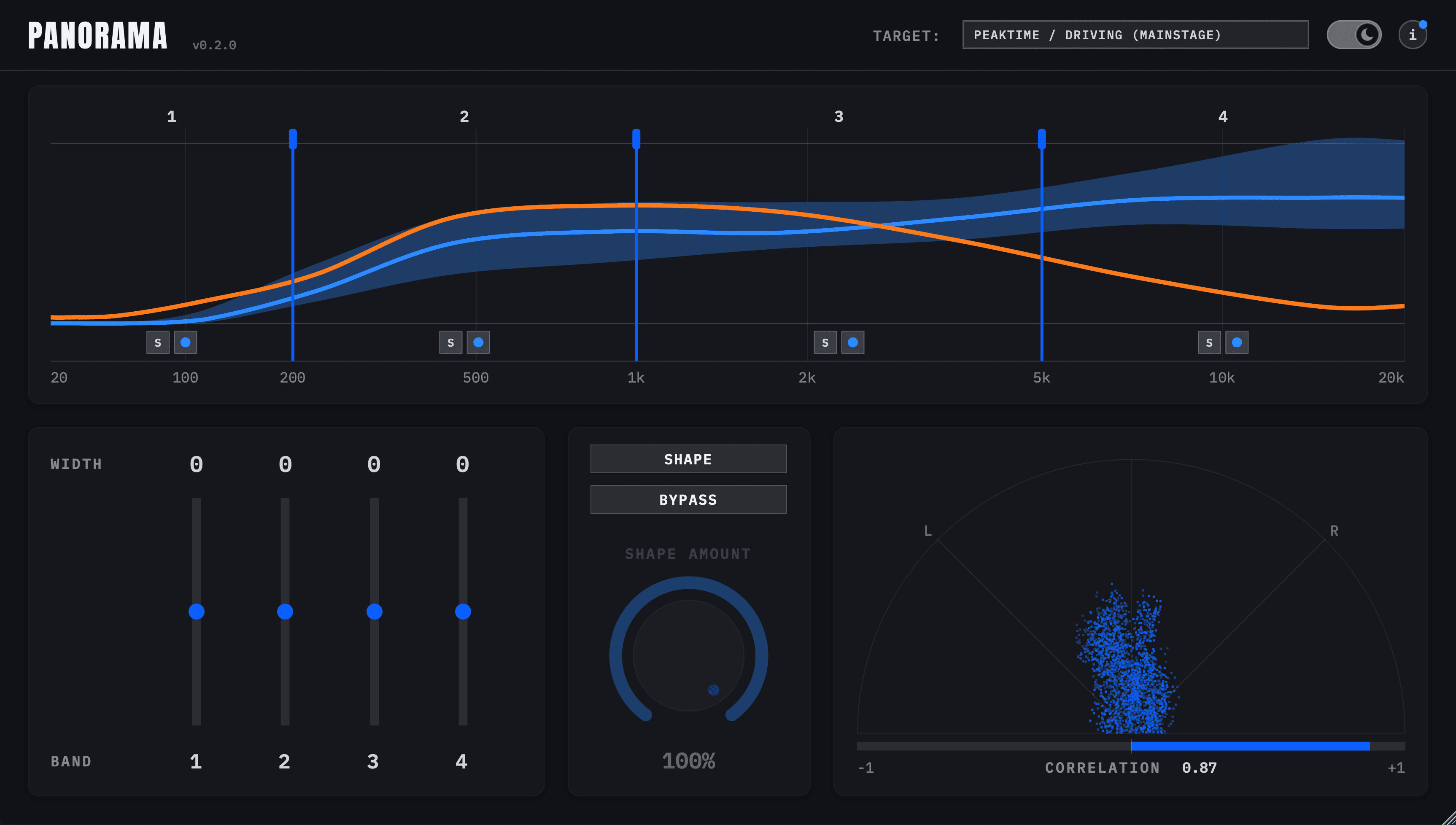
One click captures about eight seconds of your mix and solves a width correction for each of ten octaves, pulling the side signal onto the target's median. The mid is never touched, and octaves the target keeps mono are never widened. A Shape Amount knob dials it back.
Four reference profiles built from real techno tracks — Peaktime / Driving (Mainstage), Peaktime / Driving (Groove), Raw / Deep / Hypnotic and Melodic Techno — or Custom, built from stereo tracks you pick. Only the analysed profile is kept, never the audio.
Your mix's width across the spectrum, live, against the target's median and the middle half of its references. Split it into up to four bands with draggable edges, and solo any band to hear it.
A width fader per band, from mono to wide — a multiband stereo imager for fine-tuning on top of Shape. The faders apply whether Shape is on or off.
A polar vectorscope with a correlation meter, so you can see the stereo image and catch phase problems as you widen.
Shape
01One click captures about eight seconds of your mix and solves a width correction for each of ten octaves, pulling the side signal onto the target's median. The mid is never touched, and octaves the target keeps mono are never widened. A Shape Amount knob dials it back.
Targets
02Four reference profiles built from real techno tracks — Peaktime / Driving (Mainstage), Peaktime / Driving (Groove), Raw / Deep / Hypnotic and Melodic Techno — or Custom, built from stereo tracks you pick. Only the analysed profile is kept, never the audio.
Width Chart
03Your mix's width across the spectrum, live, against the target's median and the middle half of its references. Split it into up to four bands with draggable edges, and solo any band to hear it.
Band Imaging
04A width fader per band, from mono to wide — a multiband stereo imager for fine-tuning on top of Shape. The faders apply whether Shape is on or off.
Vectorscope
05A polar vectorscope with a correlation meter, so you can see the stereo image and catch phase problems as you widen.
System requirements.
- —VST3, AU — no AAX (not compatible with Pro Tools)
- —macOS 11 (Big Sur) or later — Universal binary, native on Apple Silicon and Intel
- —Windows 10 or later, 64-bit
- —Runs in Ableton Live, Logic Pro, Bitwig Studio, Cubase, Studio One, Reaper and FL Studio
License.
- —One perpetual license per user, for use across your own machines
- —No subscription, no iLok, no account — an offline signed key, checked locally, never phoning home
- —Full terms in the Terms of Service
FAQ.
How is it different from other stereo imagers?+
A typical imager gives you width controls and leaves the judgement to your ears. PANORAMA measures your mix's width octave by octave, shows it against where finished techno records sit, and sets the width to match in one click. The band faders are still there for the final say.
How is it different from Sentinella?+
Sentinella shapes your mix's tonal balance against a techno target. PANORAMA does the same for stereo width: it leaves the mid alone and corrects only the side signal, octave by octave.
Who makes PANORAMA?+
Sentinel DSP builds and sells it. Like Sentinella, it comes out of the studio practice of Mattia Saviolo, who co-designed it.
Is there a free trial?+
Yes — every feature, free for 7 days. Click Free 7-day trial next to Buy Now, enter your email and download the installer, then open PANORAMA in your DAW and click Start Trial. When the trial ends, buy a license and paste it into the same install to keep going.
Which formats does it support?+
VST3 on Windows and macOS, AU on macOS.
Which DAWs does it work in?+
Any DAW that hosts VST3 or AU plugins — Ableton Live, Logic Pro, Bitwig Studio, Cubase, Studio One, Reaper, FL Studio and the rest. Pro Tools isn't supported — there's no AAX version.
Does it run natively on Apple Silicon?+
Yes. The macOS build is a Universal binary, so it runs natively on Apple Silicon (M1 and later) and on Intel Macs — no Rosetta needed.
How does licensing work?+
The same way as Sentinella: one perpetual license per user, delivered as an offline signed key the plugin checks locally. No subscription, no iLok, no account.
Can I get a refund?+
Because the license key and the installer are delivered the moment you pay, the statutory right of withdrawal for digital content ends at that point — but write to us and we will sort it out with you.
Match the width
of your favourite tracks.
Total price. No VAT charged.